Key Takeaways
- Match2Cal simplifies adding USPSA matches to your calendar by pulling details directly from PractiScore pages.
- This free tool automatically sends match information to Google Calendar, Apple Calendar, or provides an ICS file.
- Users can quickly install a Chrome extension for easy access on desktop, with support for other browsers forthcoming.
- Match2Cal works on mobile through a bookmarklet, making it accessible on iPhone and Android devices.
- It costs nothing and requires no account, streamlining the process of managing match details.
Estimated reading time: 3 minutes
If you shoot USPSA, you already know that adding a match to your calendar means opening it up, typing in the match name, figuring out the date, hunting down the address, and doing it all manually. Every single time. I got tired of that about five minutes in, so I built Match2Cal instead.
I built something to fix that.
Meet Match2Cal
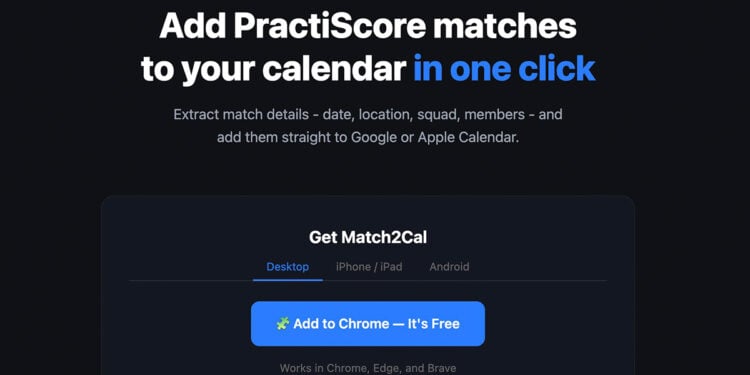
Match2Cal is a free tool that reads your PractiScore match page and sends everything — match name, date, location, your squad number, your squadmates — straight to Google Calendar, Apple Calendar, or an ICS file you can import anywhere. The whole process takes about five seconds.
No account. No app to download. No typing anything manually.
Add your first match now at match2cal.com.
How It Works
Navigate to any match page on PractiScore.com — whether it’s the public registration page or your personal shooter page after you’ve signed up — and click the Match2Cal button. That’s it. You’ll land on a page showing your match details with three buttons: Apple Calendar, Google Calendar, and Download ICS.
If you’re already registered and squadded, Match2Cal pulls your squad number and every squadmate’s name, division, and class directly from the page and drops it all into your calendar event description so you have everything you need in one place.
Available as a Chrome Extension
The easiest way to use Match2Cal on desktop is the Chrome extension, available now in the Chrome Web Store. Install it once and a small calendar icon lives in your toolbar. When you’re on a PractiScore page, click it — done.
Install the Match2Cal Chrome Extension here.
It works in Chrome, Edge, and Brave. A Firefox extension is also available and a Safari extension for Mac and iPhone is in the works.
More from USA Carry:
Works on Your Phone Too
If you’re browsing PractiScore on your iPhone or Android device, Match2Cal has you covered with a bookmarklet — a small piece of code you save as a bookmark in your browser. Visit match2cal.com on your phone for step-by-step instructions to set it up in about two minutes.
It’s Completely Free
Match2Cal costs nothing. There’s no premium tier, no account to create, and no data collected. It does one thing and it does it well.
I built this because I shoot USPSA and I’m too lazy to manually add matches to my calendar. If you’re the same way, you’ll love this.